

Alt Text for SEO: A Guide to Optimizing Images for Search
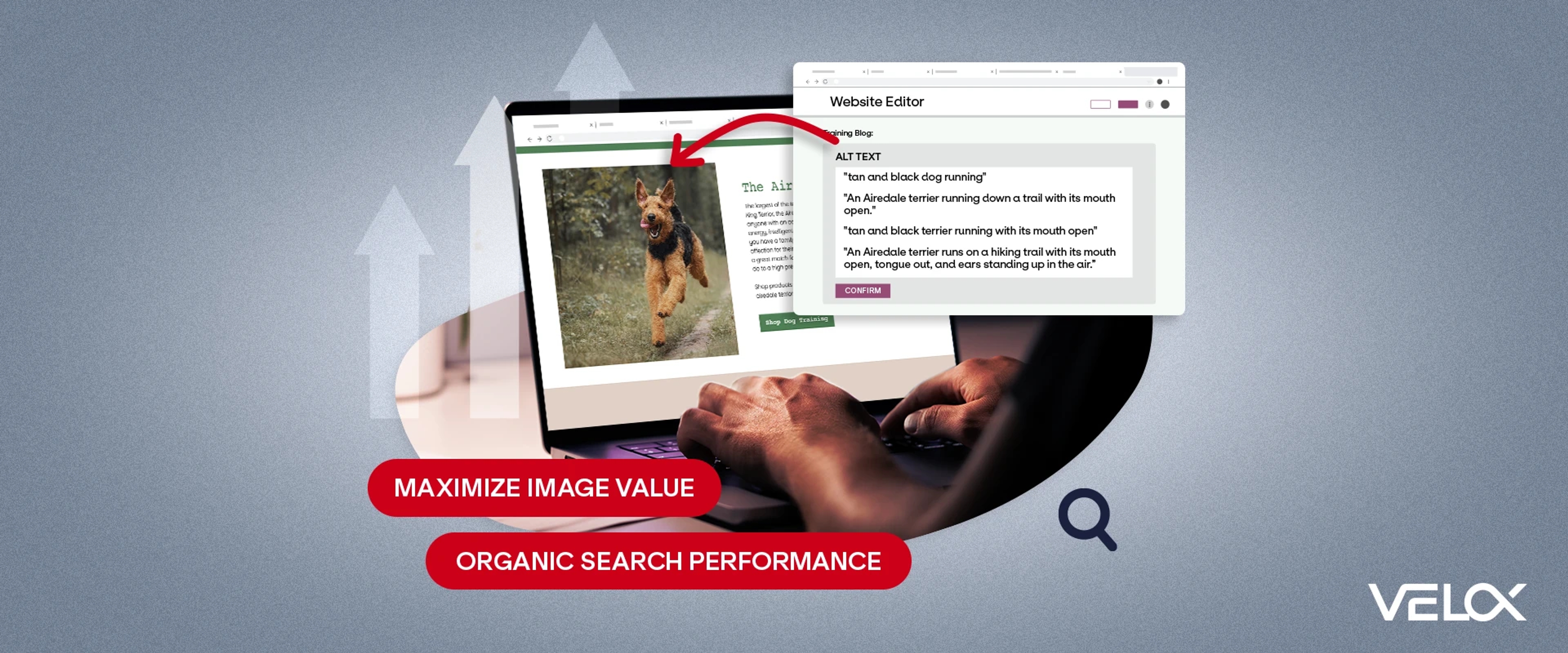

Images are key to strengthening the value of your digital content. But if your images aren’t fully optimized, you could be missing out on opportunities to enhance user experience and boost your brand’s Organic Search performance. That’s why it’s important to understand image alt text.
It’s essential to maximizing the value of your images, both for users and your site’s SEO. Organic Search strategies that include on-page optimization of your image alt text can address both issues and improve your site’s ranking in SERPs. Follow this guide to optimize your image alt attributes.
What Is Alt Text for SEO?
Image alt text is simply alternative text that provides context for users who can’t see the corresponding image, or replaces the image if it fails to load.
Add alt text (also known as an alt attribute) to your site’s HTML for any images providing information or context to the content on your webpages. This excludes purely decorative images, which we cover in depth later on.
Alt text started as a feature purely for accessibility, helping users with impairments understand visual elements with screen readers. As web use and web search have expanded, so has the purpose of alt text.
Web use and search have expanded from simple information storage, retrieval, and research into a complex network that looks very different from the original.
Today, web use includes social networking, shopping, and even interacting with AI. Search has adapted to these broader needs by using more advanced systems and criteria to deliver the results users want.
Why Is Alternative Text Important to SEO?
Image alt text is essential for accessibility.
Not all users can see images; many rely on screen readers, which read the image alt text aloud. For these users, image alt text that is clunky, stuffed with keywords, or simply missing provides a poor experience.
You’ve included high-quality images in your content to provide an optimal UX for most of your users and Google Search. This is good SEO. Adding superior, user-oriented alternative text is great SEO. It builds even greater trust, demonstrating the EEAT user and Google Search quality raters want to see.
In addition to providing a best-of-web experience for users with impairments, there may also be legal reasons for your site to include high-quality image alt text.
AccessibilityChecker.org notes that many countries must follow compliance standards, such as the Web Content Accessibility Guidelines (WCAG). In the U.S., the WCAG help ensure sites comply with the Americans with Disabilities Act (ADA).
How Do You Optimize Alt Tags for Images?
So how do you go about optimizing your site’s image alt tags? Because every site and every image is different, going through a step-by-step process likely won’t help you create optimized alt tags for your images. Instead of optimizing your image SEO, you’d just be ticking boxes.
Instead, assess your alt text for SEO using the following criteria:
- Basics: Think of your alt text as a summary or synopsis of the image. It should highlight the key characteristics and explain the primary purpose of the image. If you were to replace all the images with their alt text, your page should still deliver outstanding UX.
- Detail: Don’t skimp on details in your alt text while ensuring you don’t go overboard. Above all, focus on purpose and context. Don’t use more than 125 characters.
- Grammar: Punctuate and capitalize your alt text correctly. Use a complete sentence or two, or an independent clause or noun phrase.
- Repetition: Avoid redundancy. Don't use “photo of,” “image of,” or other preambles in your alt text.
- Need: If you have any purely decorative images on your website, such as backgrounds, use the empty alt attribute: alt="". Alt text explains the purpose of images on webpages.
- Context: If you include diagrams, charts, etc., on your page, be sure to describe them with a caption or some on-page context, as well as including alt text that summarizes key data.
- Accessibility: Evaluate your alt text to ensure it meets at least the basic accessibility (WCAG) standards:
- Don’t use symbols like @, #, %, etc.
- Write like a human, not a robot. Yes, robots will crawl your alt text, but humans will read it or hear it via screen readers.
- Don’t stuff it with keywords. Your SEO best practices should extend beyond your main content.
- File Naming: Make sure all your image file names describe the images. Search engines use file names to gather information about images, providing both context and signals for search results. Naming a file “image001.webp” doesn’t tell search engines or users anything about it. A simple “dogrunning.webp” works much better.
What Does Optimized Image Alt Text Look Like?
Now that you know how you should improve your image alt text, are you excited to start combing through all your webpages and drafting alt text?
If you’re as excited as the pup in the image below, let’s start with a little exercise for recognizing the most well-optimized alt text for this image.
Start by studying the image for a few seconds. Scroll so you can’t see it and read through the following alt text choices. Then, choose the best optimized option based on the above criteria.
- ”tan and black dog running"
- "An Airedale terrier running down a trail with its mouth open."
- "tan and black terrier running with its mouth open"
- ”An Airedale terrier runs on a hiking trail with its mouth open, tongue out, and ears standing up in the air.”
Are you struggling to choose between options 2 and 4? While you might think No. 4 has been optimized with enough detail and is still simple enough for users and search engines, there are a few things to consider.
Yes, it’s a detailed, properly punctuated complete sentence that accurately describes the image. It meets that requirement. But is it also simple? Proper punctuation helps screen readers with their flow, but a series of words separated by commas can cause choppy playback.
Scroll past the Airedale one more time and read options 2 and 4. If it helps, try reading them aloud. Option 2 shows exactly what you need, while 4 requires more effort.
Not only will screen readers trip over this alt text, but most other users probably won’t bother to read the whole thing. And Google Search, which uses more AI in presenting results every day, will push poorly optimized pages further down the SERPs.
Short and sweet is key to alt text SEO.
Need Help Optimizing Your Image Alt Text?
Your product or service is the foundation of your brand, and your website is the piece you must offer your customers. You wouldn’t offer a poor-quality product, so don’t offer poor-quality UX on your site. When optimizing your site, consider the most critical elements of UX, such as accessibility and how optimizing alt text influences this.
Interested in learning about alt text, image SEO, and how they can improve your website’s Organic Search rankings? We’re here to help! Contact VELOX today for an SEO audit of your site.